Issuing Your First e-Prescription | SignatureRx Collection vs Delivery Guide

Issuing Your First e-Prescription – Collection vs Delivery

Issuing Your First e-Prescription – Collection vs Delivery

This guide explains how to issue your first electronic prescription using SignatureRx, and how to choose between pharmacy collection and home delivery.


When issuing a prescription, you must decide how the patient will receive their medication:

  • Collection → Patient collects from a local pharmacy, anywhere in the country
  • Delivery → Medication is delivered via Signature Pharmacy (our GPhC registered distant selling/ online Pharmacy) 

Step-by-Step: Issuing a Prescription

1. Log into your SignatureRx portal using your prescriber account.
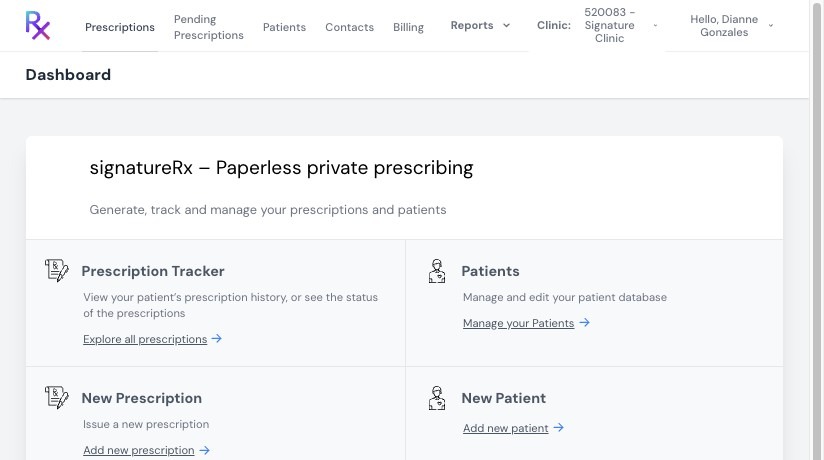
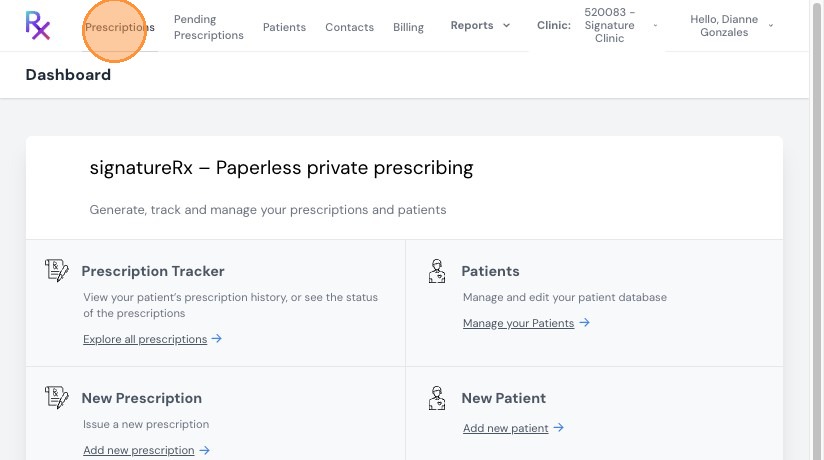
2. Click “Prescriptions” from the main menu.
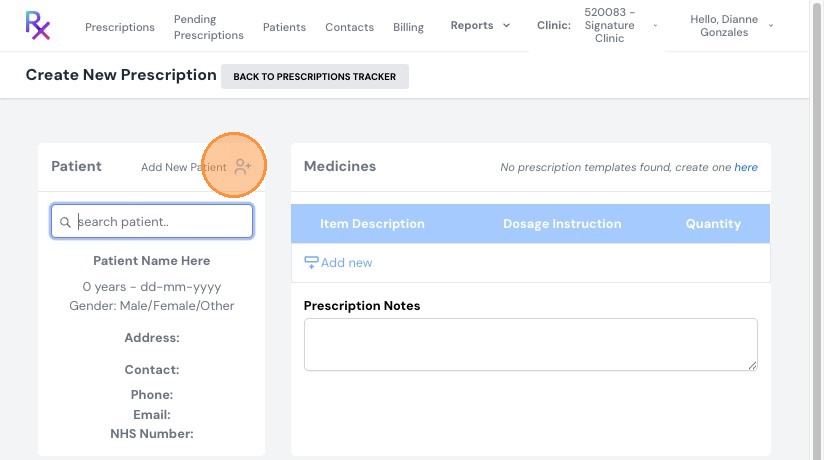
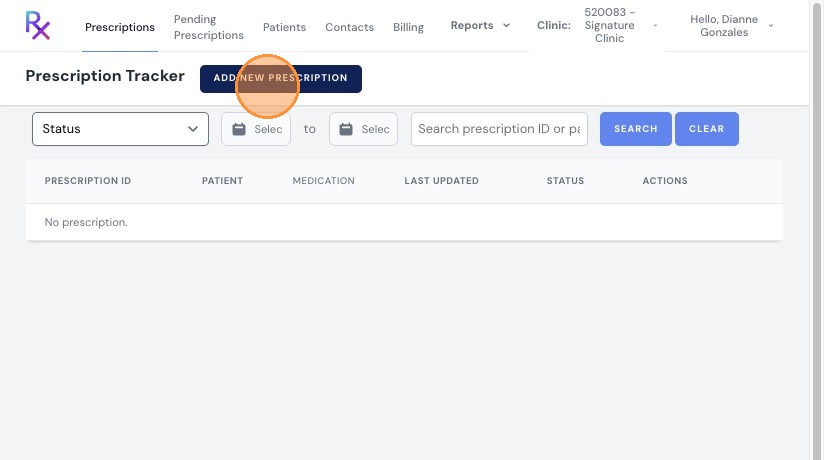
3. Click "Add New Prescription"
4. Enter Patient & Medication Details

  • Search for an existing patient or add a new one
  • Enter:
    • Medication name
    • Dosage
    • Quantity

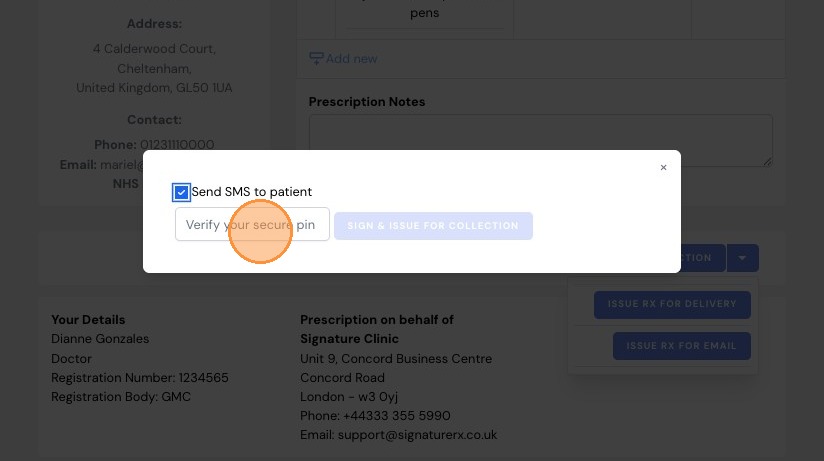
5. Choose Issue Type (Collection or Delivery)

Click the drop-down menu to select how the prescription will be issued:

  • Collection → Patient collects from a pharmacy
  • Delivery → Sent via Signature Pharmacy
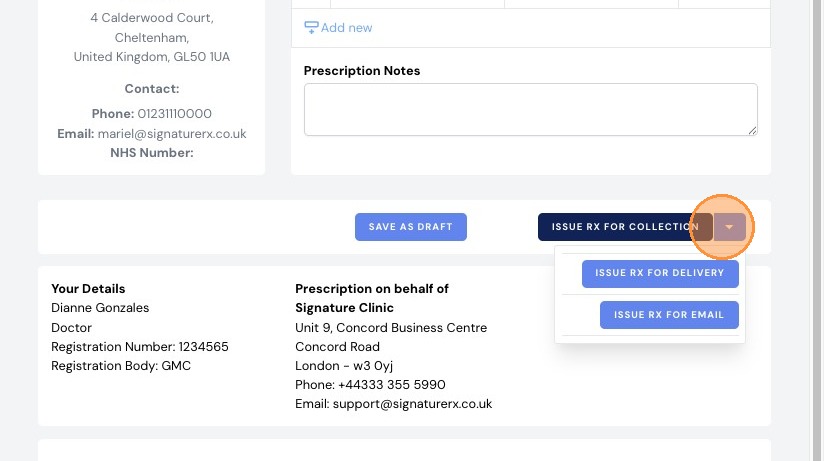
6. Sign and Issue the Prescription

  • Enter your 6-digit secure PIN
  • Click “Sign & Issue”

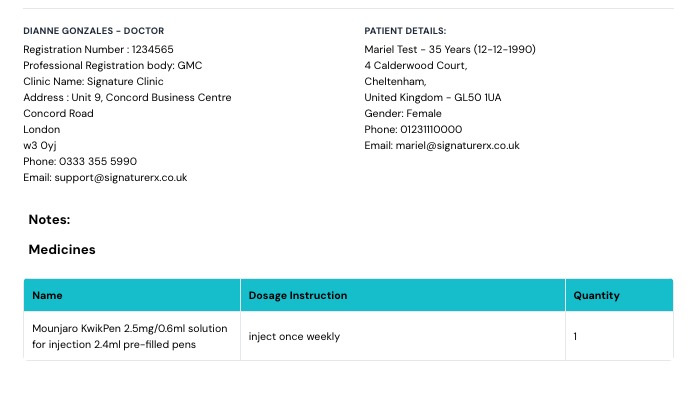
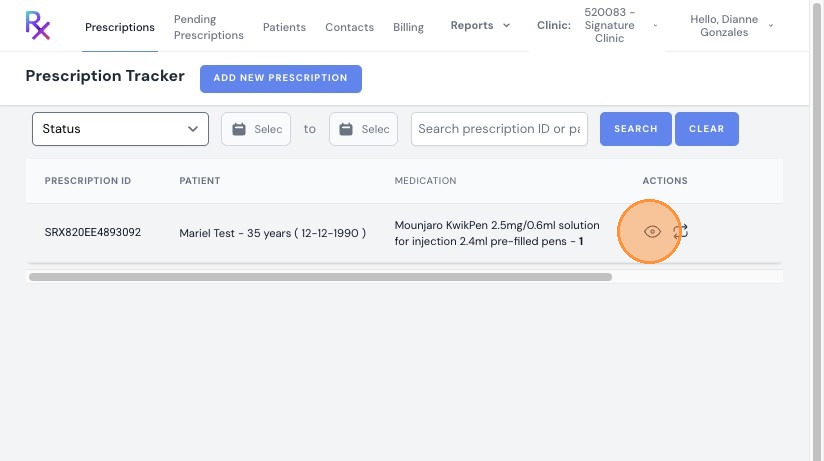
7. Click this icon to see the prescription.
    • Related Articles

    • Understanding Clinic Pay vs Patient Pay

      Understanding Clinic Pay vs Patient Pay This guide explains the key differences between Clinic Pay and Patient Pay in SignatureRx, specifically for prescriptions fulfilled via Signature Pharmacy delivery. Signature offers two payment models for ...
    • How to Dispense a Prescription

      How to Dispense a Prescription Learn how to quickly locate and process patient prescriptions using the SignatureRX portal. This guide provides a simple walkthrough to help pharmacy staff efficiently input prescription details and search for patient ...
    • Is a SignatureRx e-prescription legally valid?

      Is a SignatureRx e-prescription legally valid? Prescriptions issued via SignatureRx are fully compliant with UK regulations and are legally valid private prescriptions. How SignatureRx Ensures Compliance SignatureRx follows the same regulatory ...
    • How to Validate and Dispense an e-Prescription

      How to Validate and Dispense an e-Prescription This guide explains how pharmacists can validate and safely dispense electronic private prescriptions using SignatureRx. SignatureRx is an electronic private prescription system that allows prescriptions ...
    • Ordering Home Delivery via Signature Pharmacy

      Ordering home delivery via Signature Pharmacy – how to request delivery, timelines Find out how to get your prescription delivered to your home through SignatureRx, including how to request delivery, what happens next, and how long it takes. 1. How ...