Ordering Pre-Paid Returns Envelopes
Ordering Pre-Paid Returns Envelopes
This guide explains how to order pre-paid returns envelopes for sending FP10CD prescriptions to Signature Pharmacy using SignatureRx.
Controlled Drug Pre-Paid Envelopes
Tip: This guide explains how to order pre-paid returns envelopes for sending FP10CD prescriptions to Signature
Pharmacy using SignatureRx and then how to track them.
Pre-paid returns envelopes allow you to:
- Send original FP10CD prescriptions securely
- Avoid postage costs (covered by Signature Pharmacy)
- Use tracked delivery via postal services like Royal Mail
- Ensure compliance with Controlled Drug requirements
Ordering Pre-Paid Returns Envelopes
1. ### Open the Order Form
Go to the official order form:
2. Enter Your Clinic Details and Locations which envelopes are required
Provide:
- Clinic name
- Name
- Job Title
- Contact details
- Delivery address
3. Specify Quantity needed at each site
Enter how many pre-paid return envelopes you would like to order.
4. Submit the Request
Click Submit to send your request.
5. Receive Your Envelopes
- Envelopes will be delivered to your chosen address. You do not need to be present to receive them.
- They are ready to use with pre-paid tracked postage
Tip: Tip!
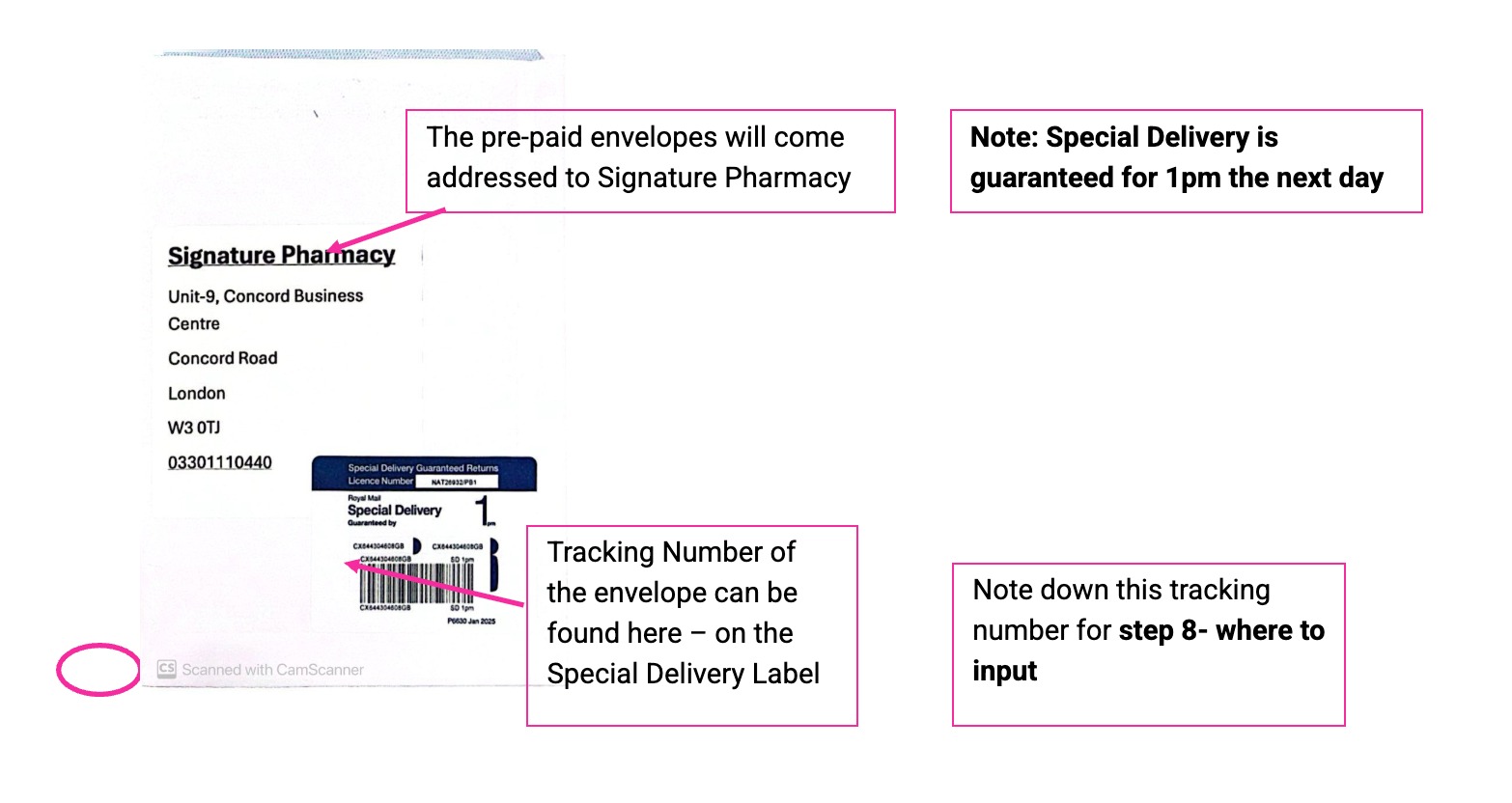
Posting the prescriptions
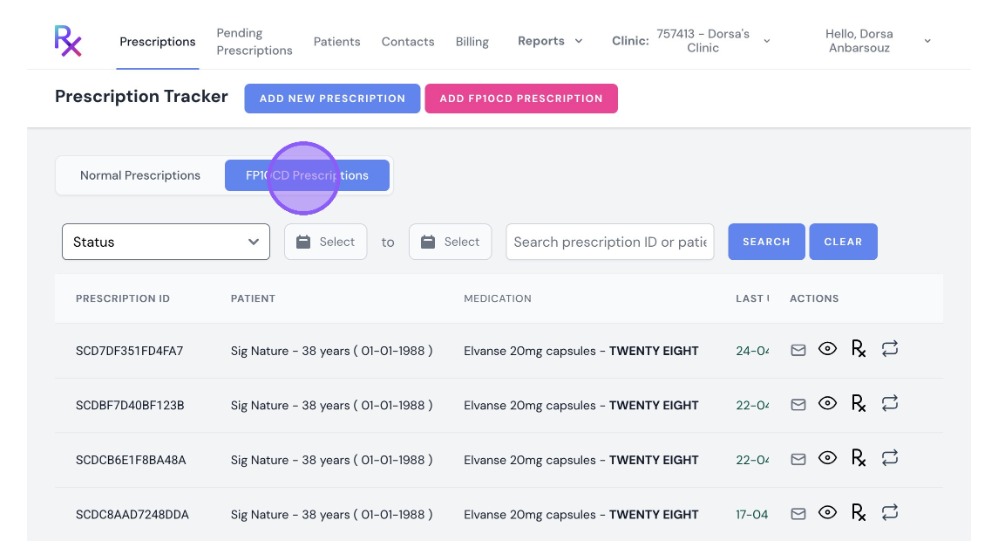
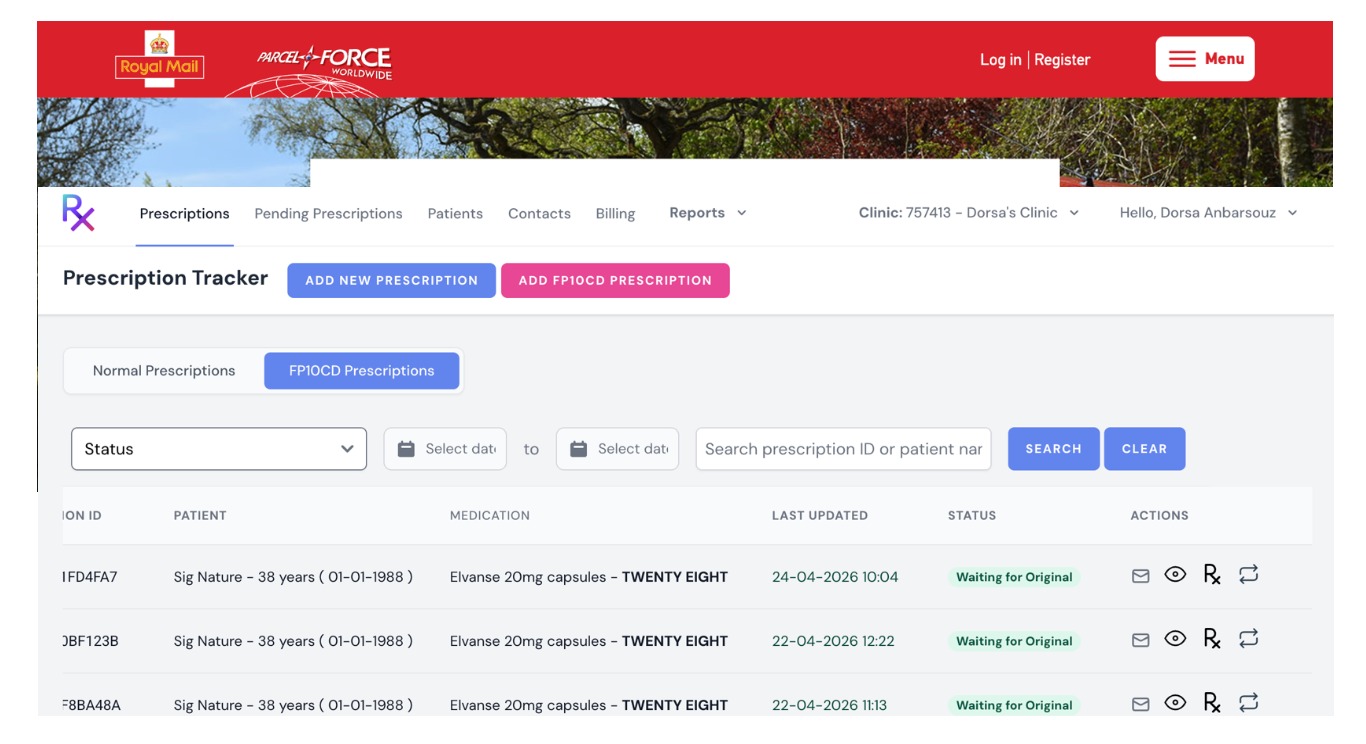
6. When you are ready to post your prescriptions, navigate to “FP10CD prescription” which will show your controlled drug prescription history
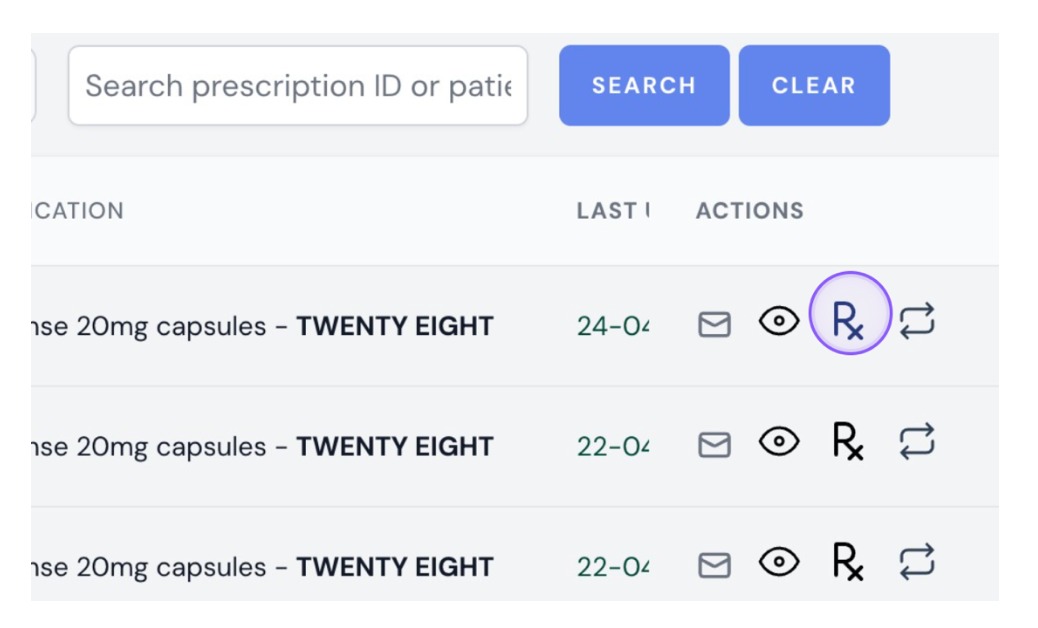
7. [[Select the “Rx” icon ]]
8. Here you can input the Prescription Number and Tracking Number of the envelope.
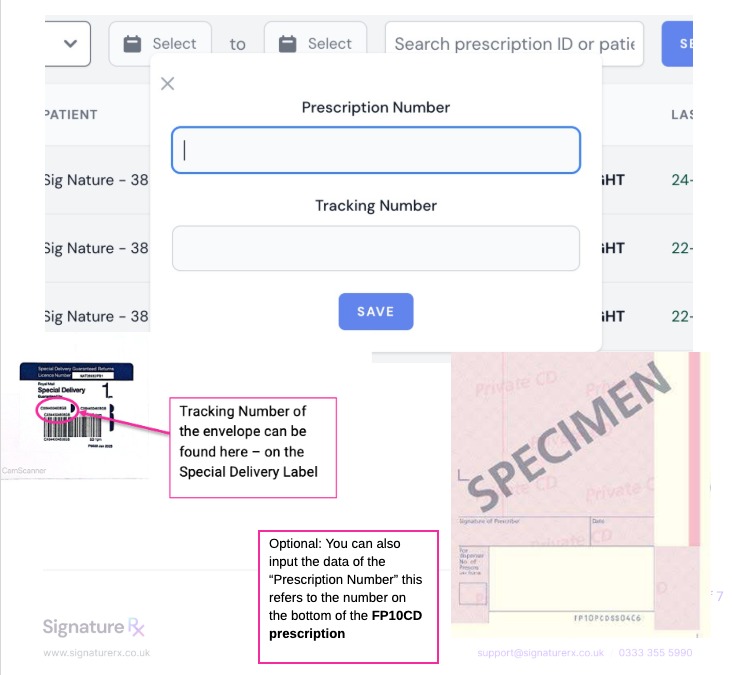
9. Repeat steps 7 and 8 for all prescriptions going into the same envelope.
10. Use the Envelope
- Place the original FP10CD prescription inside (minimum 5 prescriptions per envelope)
- Seal the envelope securely
11. Send the Envelope containing your prescriptions
You can:
- Drop off at a post office
- Post via a Royal Mail post-box
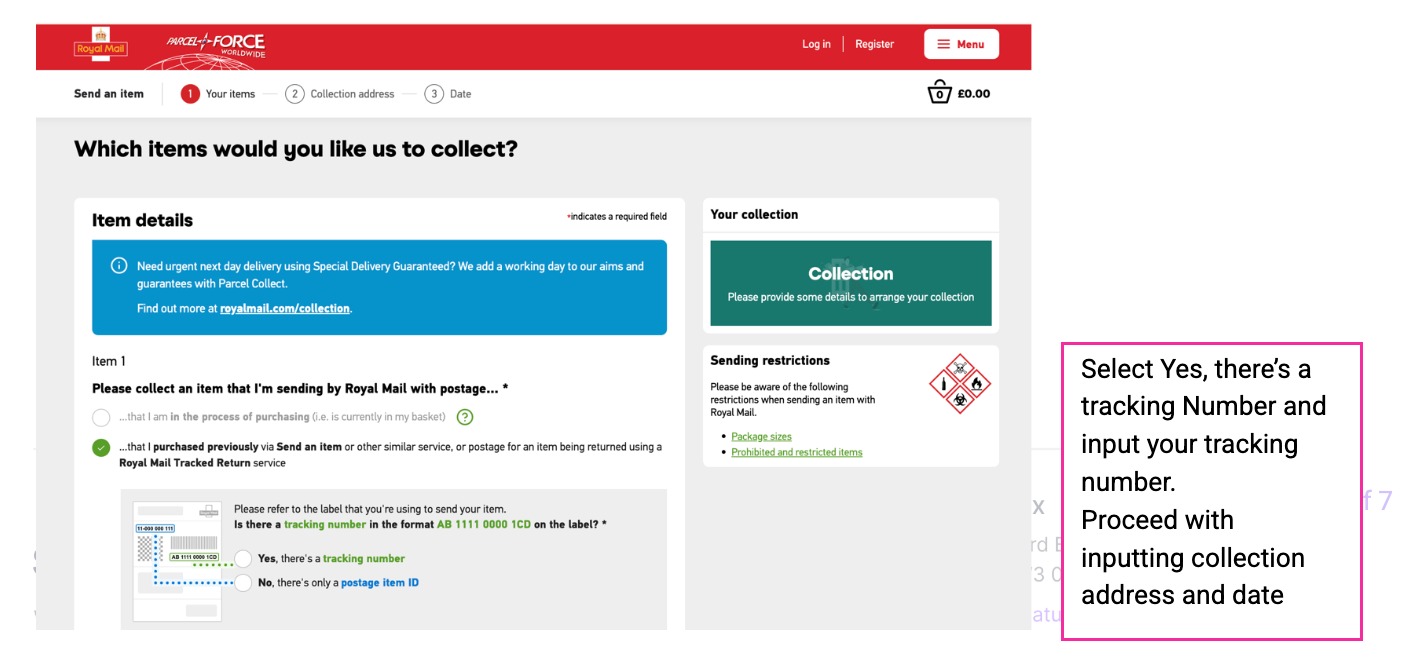
- Arrange collection (Note: This will incur a charge of 30p per collection)
Arranging a collection
Alert: To Arrange a collection navigate to: https://send.royalmail.com/collect/youritems
To Track The Envelope once they have been posted
12. Navigate to https://www.royalmail.com/track-your-item
Status Updates
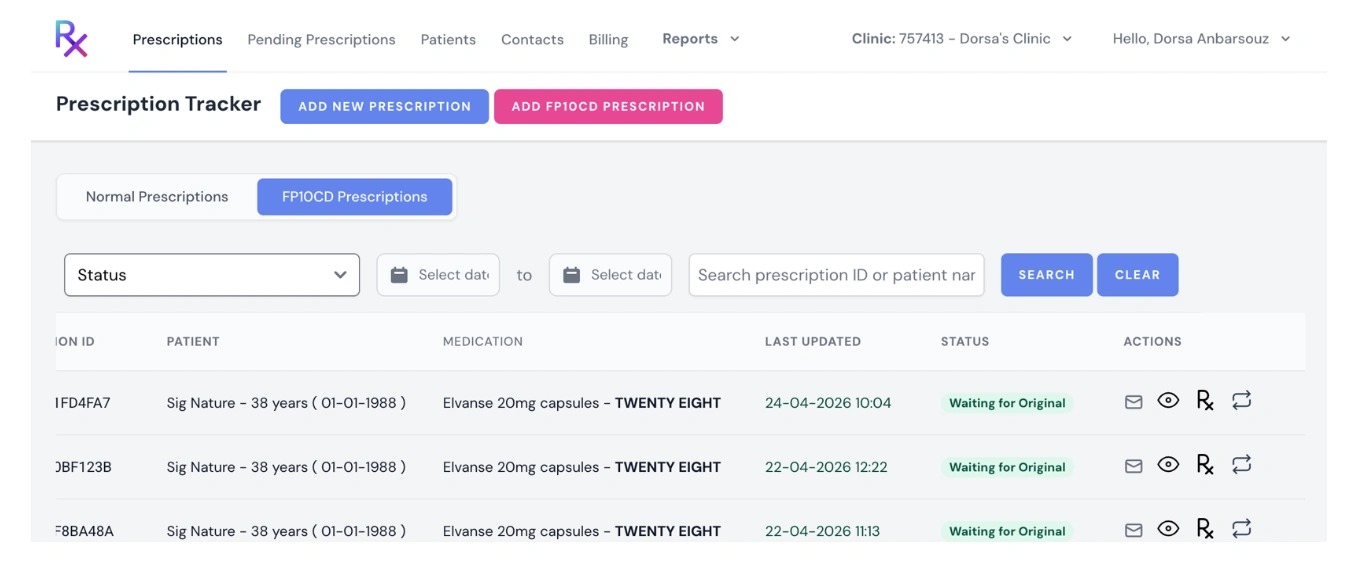
Tip: While we await the original prescription to arrive at our Pharmacy:
- We will contact the patient to let them know of their order and arrange payment.
- We will make them aware of that we legally have to await receipt of original prescription
- Once we receive the original prescription – it is a same day turn around for dispensing and dispatch.
Status will update from “Waiting for Original” to “Completed” on SignatureRx.
Tip: Important Notes
- FP10CD prescriptions must be sent as original paper copies
- Always use the pre-paid tracked envelope provided
- Do not send loose or unprotected prescriptions
Direct patient queries to our support lines at 0330 111 0440 and support@signaturepharmacy.co.uk – Open 7 days a week
Related Articles
Ordering Home Delivery via Signature Pharmacy
Ordering home delivery via Signature Pharmacy – how to request delivery, timelines Find out how to get your prescription delivered to your home through SignatureRx, including how to request delivery, what happens next, and how long it takes. 1. How ...New: Bulk Prescription Management
New: Bulk Prescription Management Made by Dianne Micah Gonzales with Scribe You can now select multiple prescriptions from the list and perform bulk actions. This is particularly useful when using the pre-paid envelope process, as you can select all ...New: Bulk Prescription Management
New: Bulk Prescription Management Made by Dianne Micah Gonzales with Scribe You can now select multiple prescriptions from the list and perform bulk actions. This is particularly useful when using the pre-paid envelope process, as you can select all ...Why Do I Need to Pay for My Prescription?
Why Do I Need to Pay for My Prescription? All prescriptions issued through SignatureRx are private prescriptions, which means they are not subsidised by the NHS. When you collect your medication, the pharmacy will charge you: The cost of the ...How to Track Your SignatureRx Delivery Status
How to Track Your SignatureRx Delivery Status Tracking Your Prescription Delivery Once your prescription has been processed and dispatched by Signature Pharmacy, you will receive: A dispatch confirmation A tracking link via SMS or email How to Track ...