Buying Prescription Credits (Tokens)
How To Purchase SignatureRx Tokens
Learn how to easily add more tokens to your SignatureRx account to ensure uninterrupted service. This guide walks you through the billing section to help you manage your token purchases efficiently.
SignatureRx uses a credit-based system:
- Each prescription issued uses 1 token (credit)
- Tokens must be purchased before issuing prescriptions
This allows for a simple, pay-as-you-go model.
1. Log in to SignatureRx
- Access your prescriber account
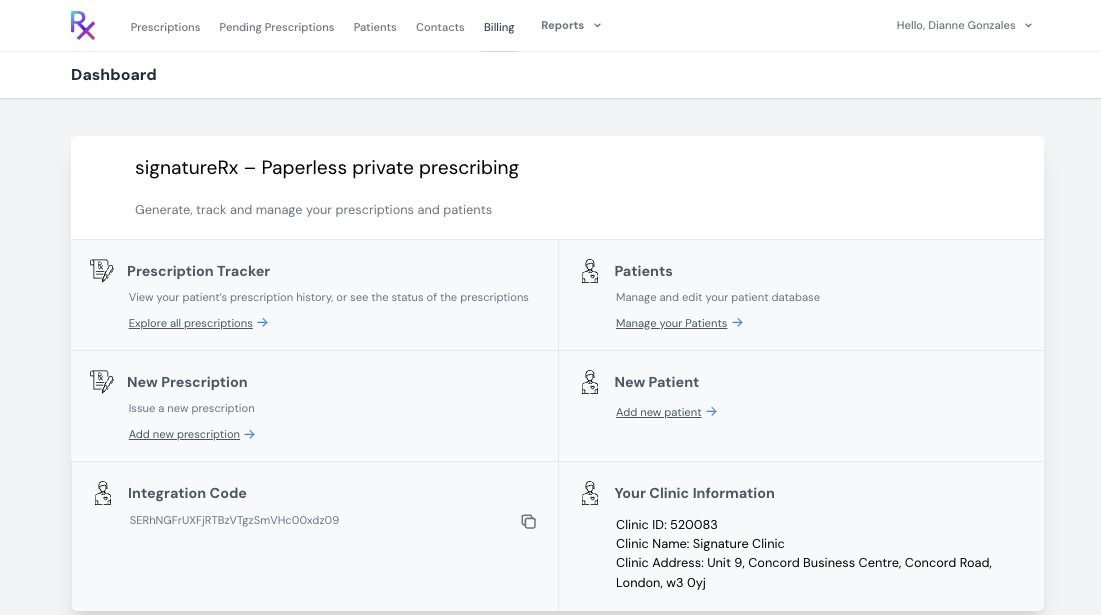
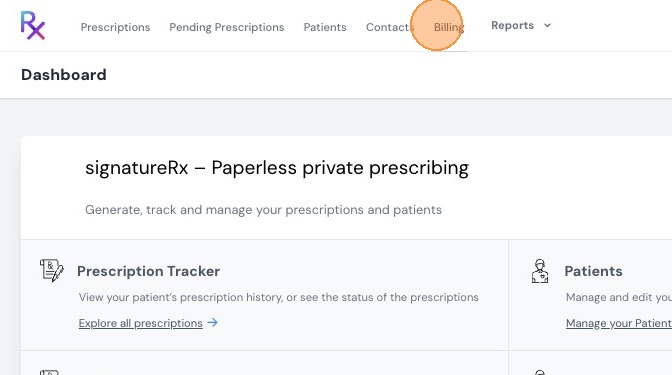
2. Click "Billing"
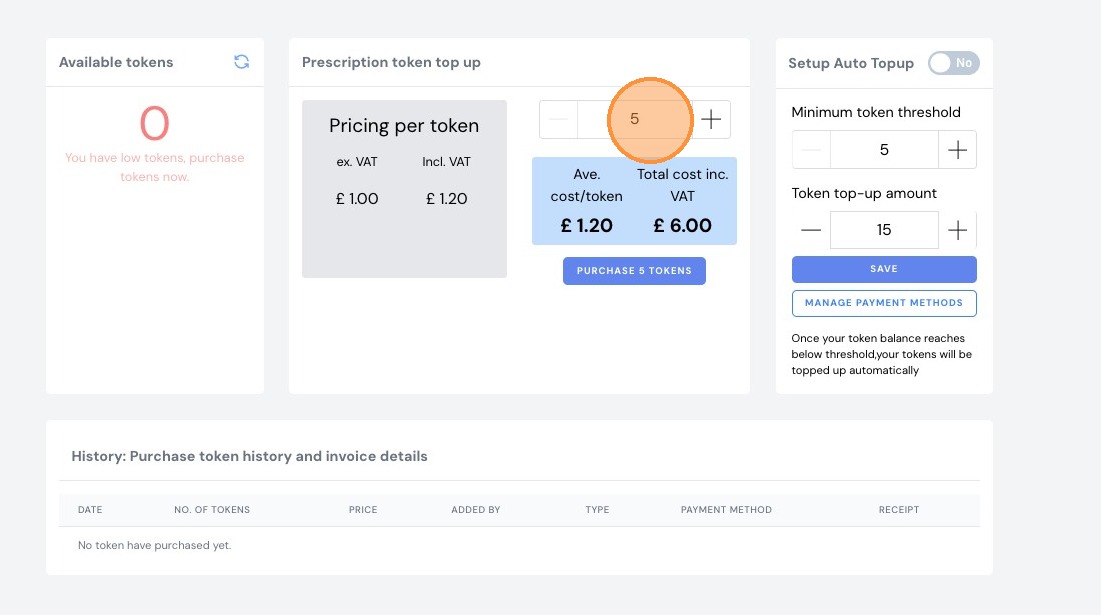
3. Click and enter how many tokens you would like to purchase.
Note: Minimum of 5 tokens per transactions.
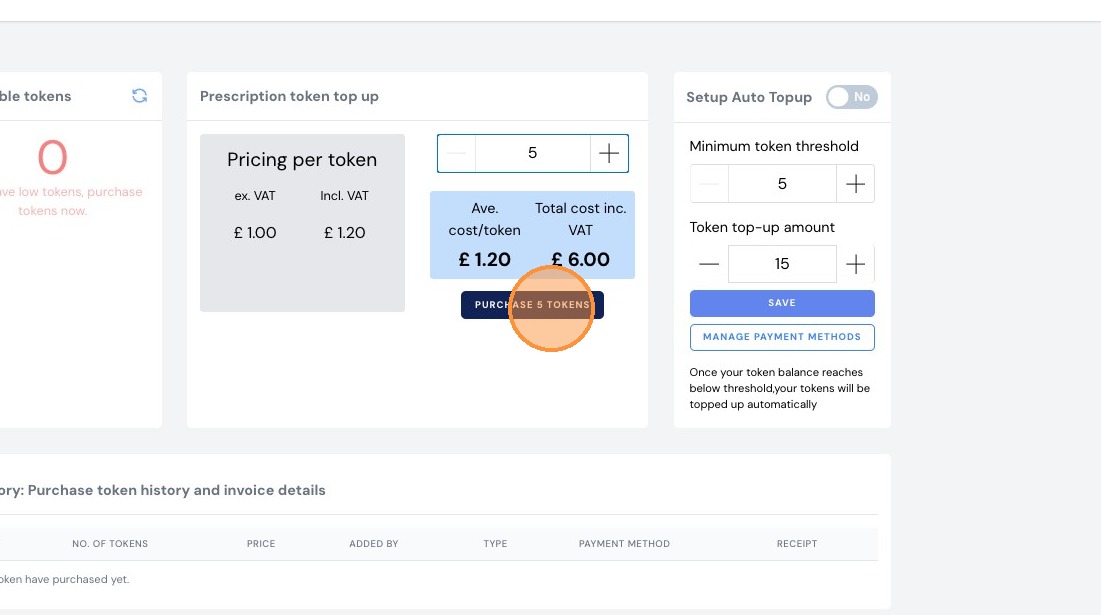
4. Click "PURCHASE 5 TOKENS"
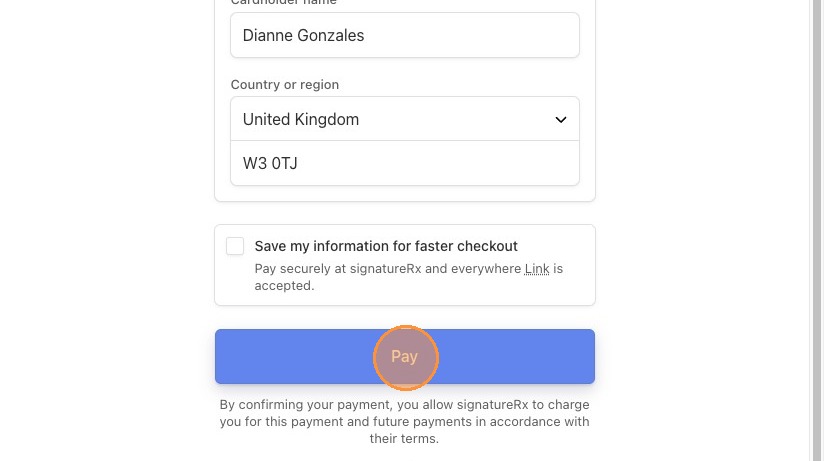
5. Enter your card details and click "Pay"
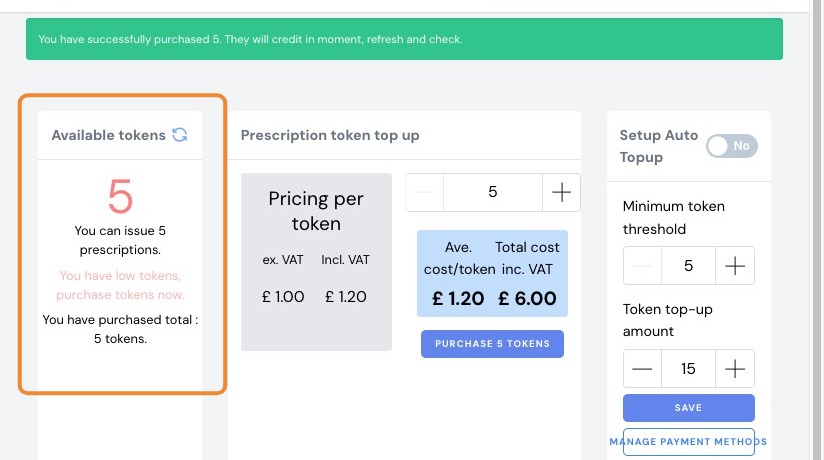
6. Tokens Added to Your Account
- Your credits will be available immediately
- You can now start issuing prescriptions
Tip: Monitor your token balance regularly to avoid interruptions
- Purchase tokens in advance if you expect high usage
- You can also enable auto top-up.
Related Articles
How to Purchase Tokens in SignatureRx
How to Purchase Tokens in SignatureRx Learn how to quickly navigate your dashboard to purchase additional tokens for your account. This guide provides a straightforward walkthrough of the billing process to ensure you can continue using your services ...Checking Prescription Status
Checking Prescription Status Made by Dianne Micah Gonzales with Scribe Learn how to check the status of your prescriptions in SignatureRx and view completed or signed records. 1. Navigate to your SignatureRx dashboard and log in using your prescriber ...View Prescription History
Viewing Prescription History Made by Dianne Micah Gonzales with Scribe Learn how to view a patient’s prescription history in SignatureRx, including previously issued medications and their status. 1. Log into SignatureRx portal using your prescriber ...New: Paper Prescription Settings
New: Paper Prescription Settings Made by Dianne Micah Gonzales with Scribe These settings control whether prescriber and clinic details are automatically printed onto paper prescription forms generated through SignatureRx. 1. Print Prescriber Details ...New: Bulk Prescription Management
New: Bulk Prescription Management Made by Dianne Micah Gonzales with Scribe You can now select multiple prescriptions from the list and perform bulk actions. This is particularly useful when using the pre-paid envelope process, as you can select all ...