View Prescription History
Viewing Prescription History
Learn how to view a patient’s prescription history in SignatureRx, including previously issued medications and their status.
1. Log into SignatureRx portal using your prescriber account.
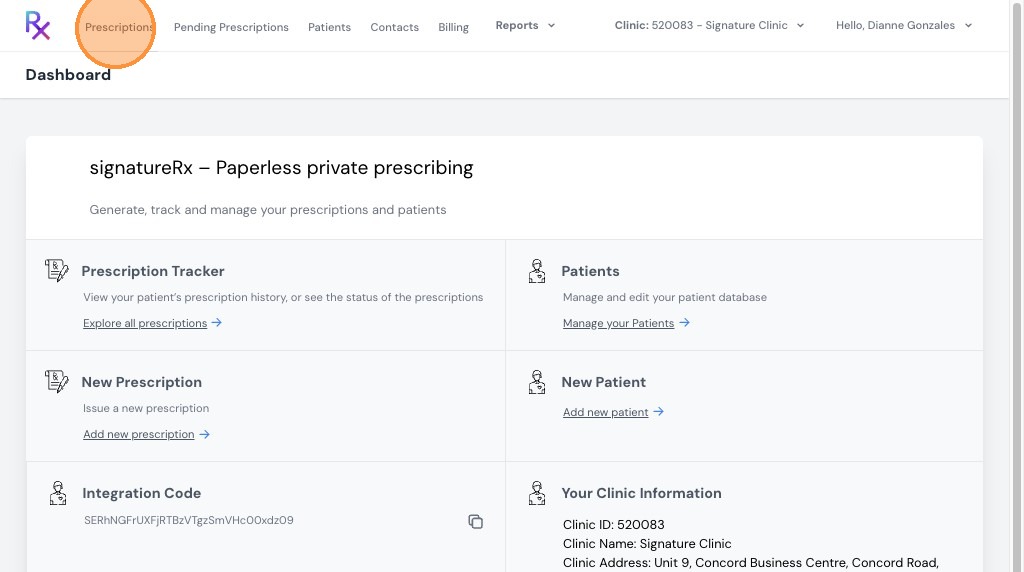
2. Click "Prescriptions"
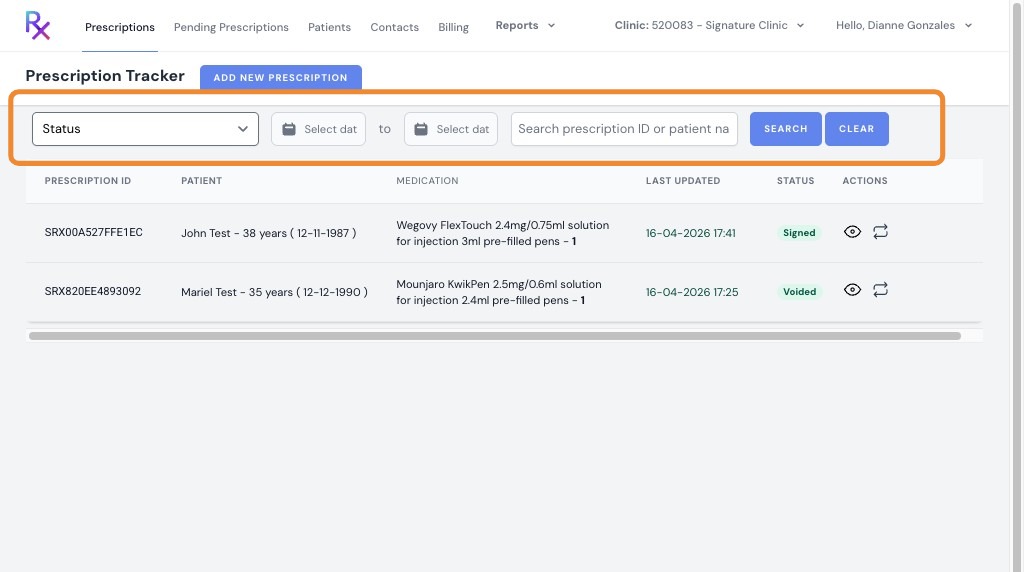
3. On the Prescriptions tab, you will see all prescriptions you have issued.
You can:
- Filter by status (e.g. issued, dispensed, void)
- Filter by date
- Search using:
- Prescription ID
- Patient name
Related Articles
Managing SignatureRx Billing and Token History
Managing SignatureRx Billing and Token History Learn how to manage your token balance, purchase credits, enable auto top-up, and view billing history in SignatureRx. SignatureRx uses a token-based system, where: Each prescription uses 1 token ...Checking Prescription Status
Checking Prescription Status Made by Dianne Micah Gonzales with Scribe Learn how to check the status of your prescriptions in SignatureRx and view completed or signed records. 1. Navigate to your SignatureRx dashboard and log in using your prescriber ...Navigating The SignatureRX Clinic Dashboard (Overview)
Navigating The SignatureRX Clinic Dashboard (Overview) This guide provides an overview of the SignatureRx clinic dashboard. It covers the key areas available to help you manage prescriptions, prescribers, patients, billing, and clinic settings ...Voiding or Editing a Prescription After It Has Been Issued
Voiding or Editing a Prescription After It Has Been Issued This guide explains what you can and cannot do after a prescription has been issued in SignatureRx, including how to void a prescription and when to reissue a new one. Once a prescription has ...New: Paper Prescription Settings
New: Paper Prescription Settings Made by Dianne Micah Gonzales with Scribe These settings control whether prescriber and clinic details are automatically printed onto paper prescription forms generated through SignatureRx. 1. Print Prescriber Details ...