How to Download an Invoice or VAT Receipt for Token Purchases
How to Download an Invoice or VAT Receipt for Token Purchases
Learn how to access and view detailed payment receipts for your SignatureRx account. This guide provides a quick path to locating your billing history and opening individual transaction documents directly in your web browser.
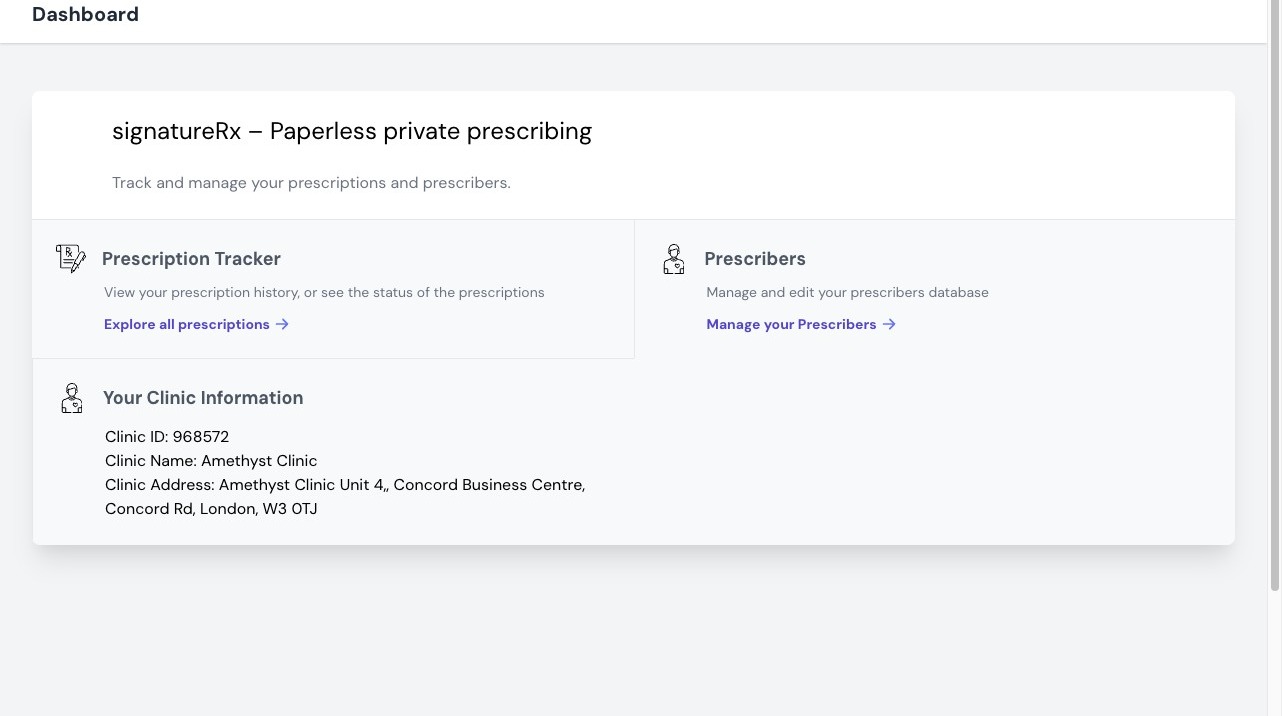
1. Log in to your portal via your clinic page.
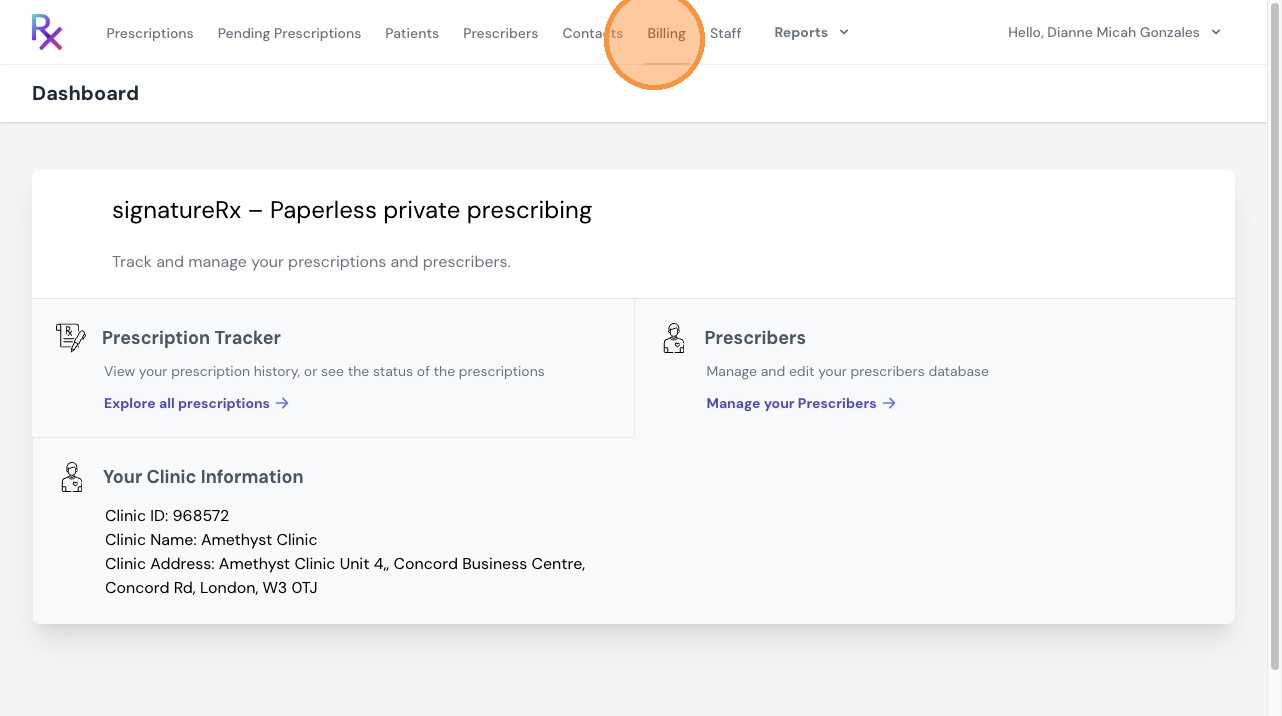
2. Click "Billing"
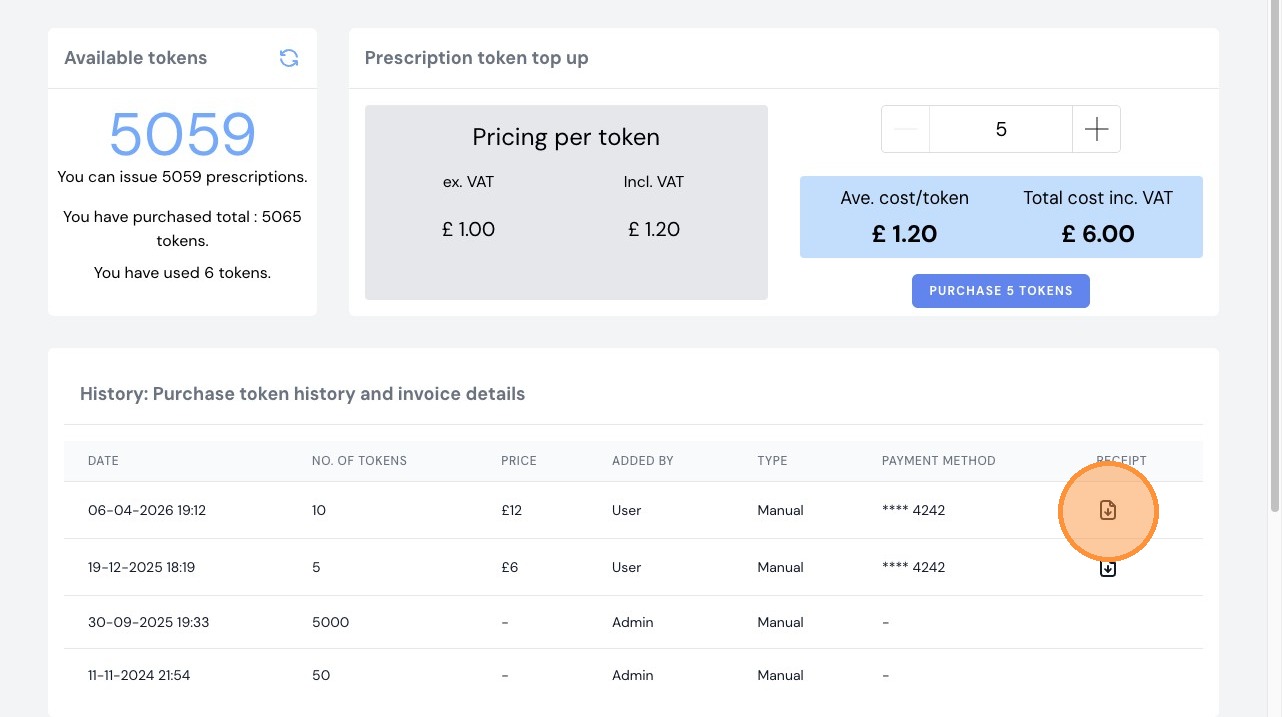
3. In the “Billing” tab, scroll down to view your purchase history.
Locate the transaction you require and click the option to download the invoice or receipt.
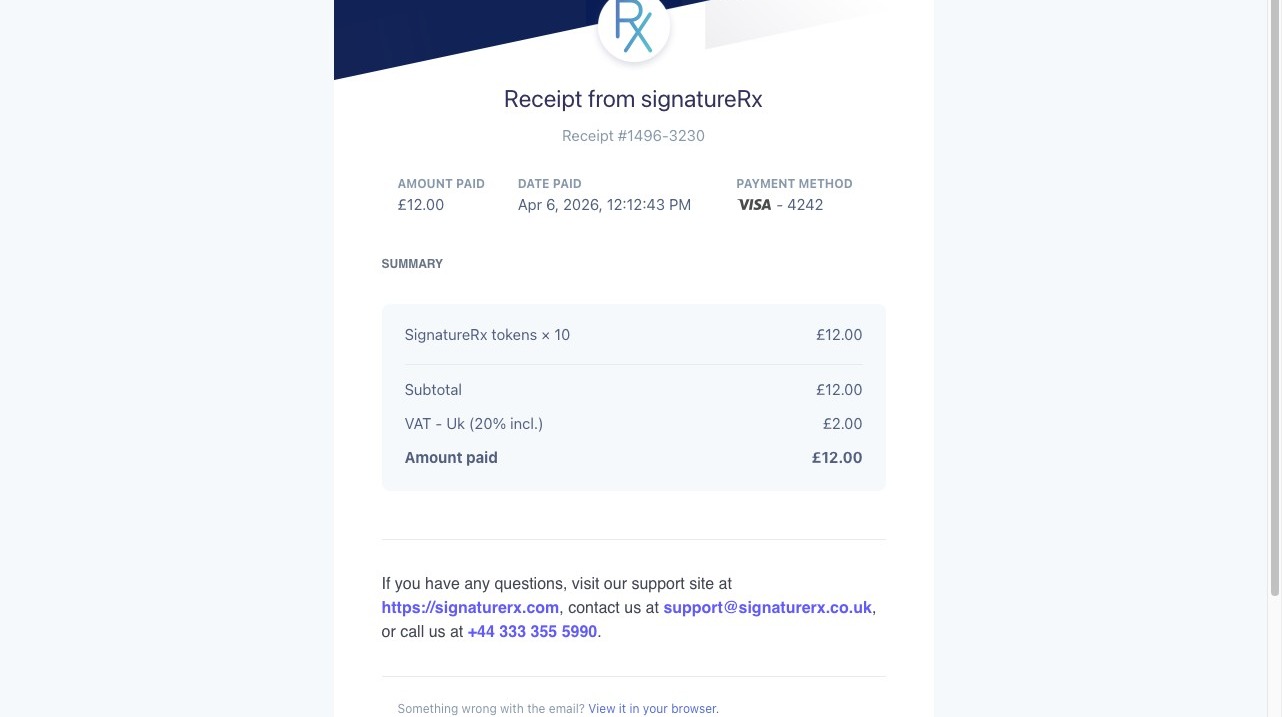
4. Your invoice or VAT receipt will be downloaded for your records.
Important information
- All token purchases are recorded in your billing history.
- Invoices and VAT receipts are available for each transaction.
- You can download these at any time for accounting or reporting purposes.
Related Articles
How to Purchase Tokens in SignatureRx
How to Purchase Tokens in SignatureRx Learn how to quickly navigate your dashboard to purchase additional tokens for your account. This guide provides a straightforward walkthrough of the billing process to ensure you can continue using your services ...Managing SignatureRx Billing and Token History
Managing SignatureRx Billing and Token History Learn how to manage your token balance, purchase credits, enable auto top-up, and view billing history in SignatureRx. SignatureRx uses a token-based system, where: Each prescription uses 1 token ...Buying Prescription Credits (Tokens)
How To Purchase SignatureRx Tokens Learn how to easily add more tokens to your SignatureRx account to ensure uninterrupted service. This guide walks you through the billing section to help you manage your token purchases efficiently. SignatureRx uses ...Navigating The SignatureRX Clinic Dashboard (Overview)
Navigating The SignatureRX Clinic Dashboard (Overview) This guide provides an overview of the SignatureRx clinic dashboard. It covers the key areas available to help you manage prescriptions, prescribers, patients, billing, and clinic settings ...How to Enable Auto Top-Up
How to enable Auto Top-Up of Tokens Learn how to enable Auto Top-Up in SignatureRx to ensure you never run out of tokens. This feature automatically purchases tokens when your balance reaches a set threshold, helping you maintain uninterrupted ...