SignatureRx Reports Overview – Available Data and How to Access It
SignatureRx Reports Overview – Available Data and How to Access It
Learn how to access the SignatureRx reporting dashboard to generate performance summaries. This guide demonstrates how to filter dispensed prescription data by type and service category for better practice insights.
1. Log in to your portal via your clinic page.
Select 'Reports' from the Reports dropdown menu.

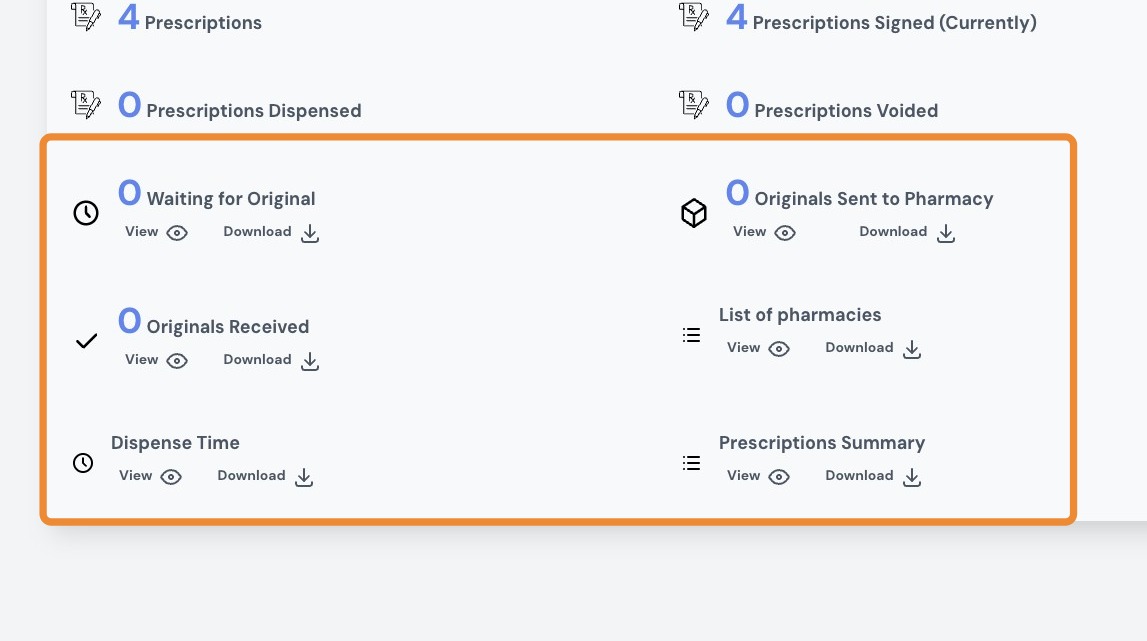
2. Data available in reports
You can view and download the following report types:
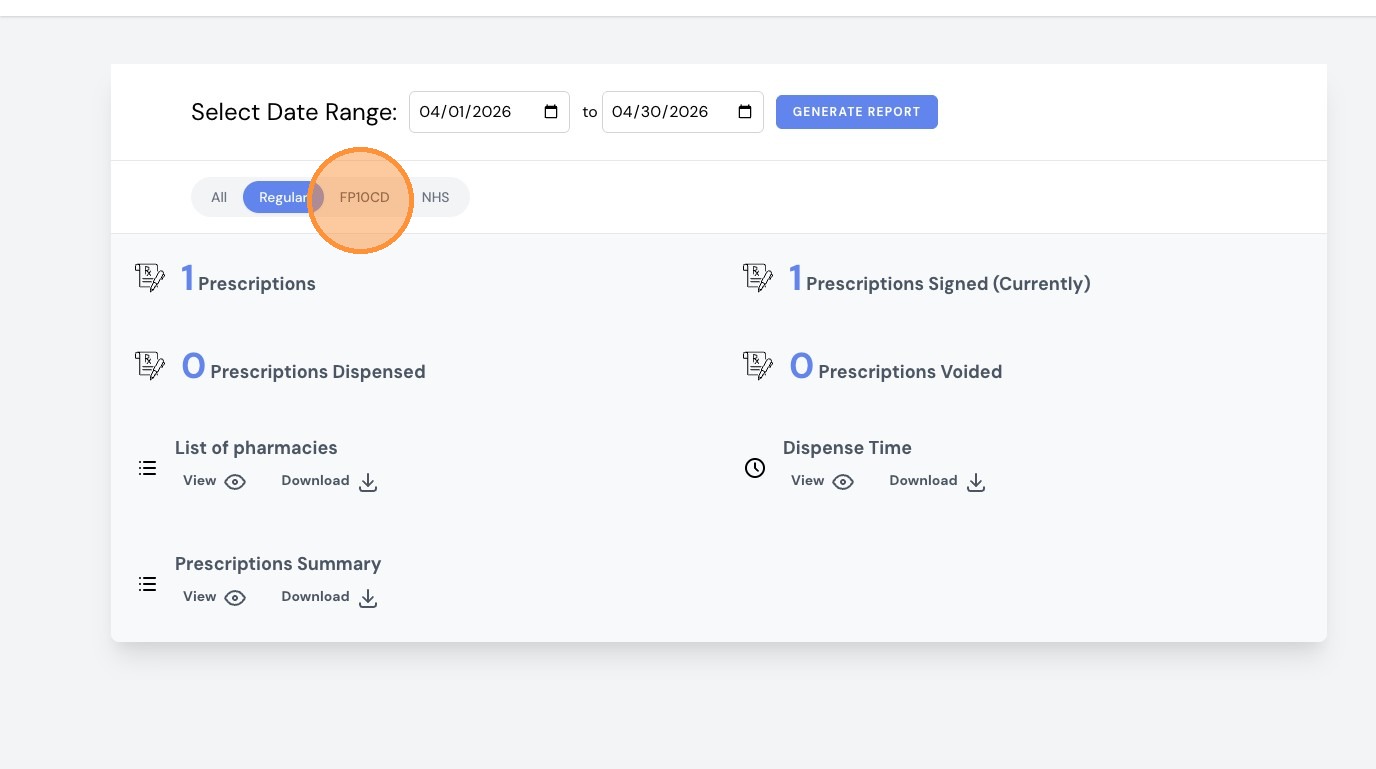
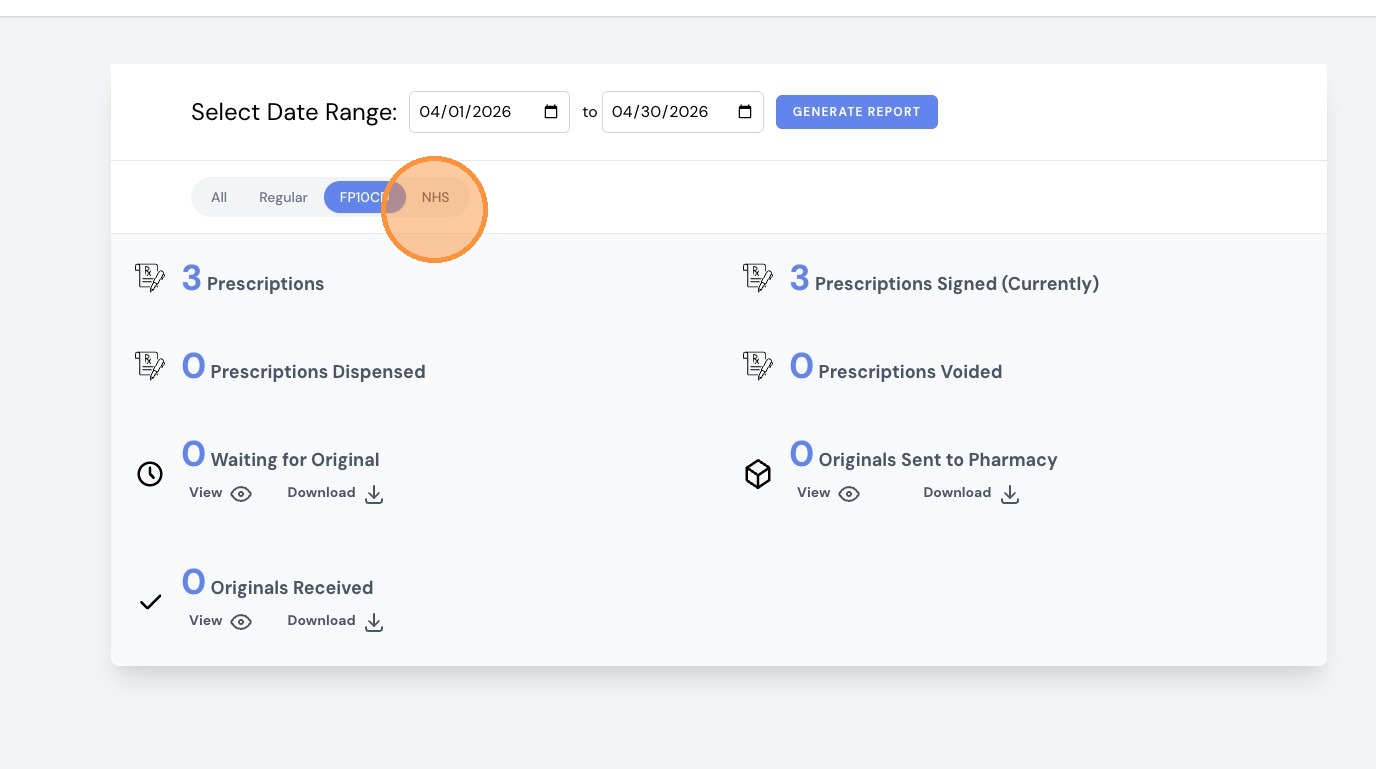
- Waiting for Original
- Originals Sent to Pharmacy
- Originals Received
- List of pharmacies
- Dispense Time
- Prescriptions Summary

3. Select a date range and click 'Generate Report'.
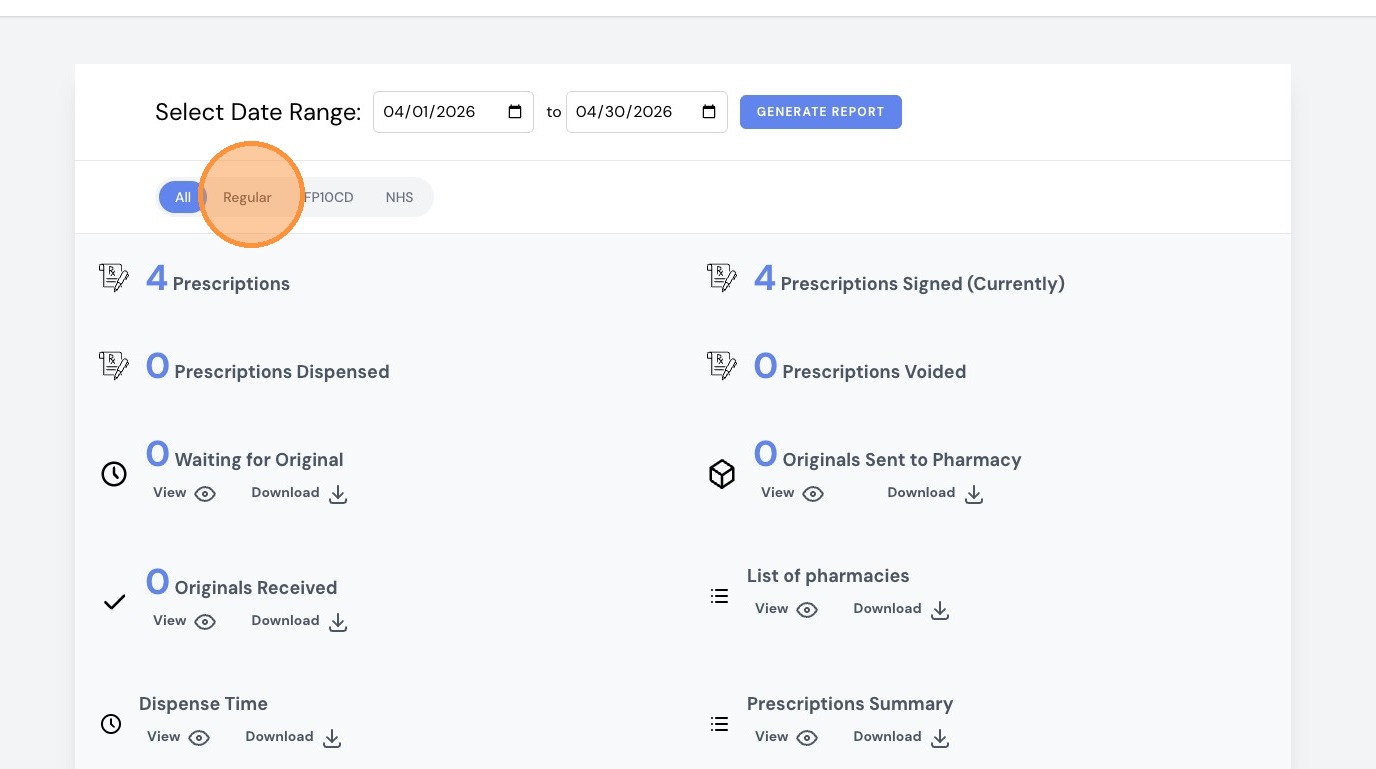
4. Select 'Regular' to filter regular prescriptions report.
5. Select 'FP10CD' to filter the FP10CD report.
6. Select 'NHS' to filter the NHS prescription report.
SignatureRx Reports Overview – Available Data and How to Access It
Overview
This article explains how to access the SignatureRx reporting dashboard and generate performance summaries filtered by type and category.
Who does this apply to?
Clinic users who need to review dispensed prescription data.
Key points
- Reports are accessed via the Reports dropdown menu.
- Available report types include Waiting for Original, Originals Sent, Originals Received, List of Pharmacies, Dispense Time, and Prescriptions Summary.
- Reports can be filtered by Regular, FP10CD, or NHS prescription type.
1. How do I access reports?
Answer: Via the Reports dropdown after logging in.
Log in to your portal via your clinic page and select "Reports" from the Reports dropdown menu.
2. What data is available?
Answer: Six report types covering originals tracking and dispensing.
- Waiting for Original
- Originals Sent to Pharmacy
- Originals Received
- List of Pharmacies
- Dispense Time
- Prescriptions Summary
- Select a date range and click "Generate Report" to run any of these.
3. Can I filter by prescription type?
Answer: Yes — Regular, FP10CD, or NHS.
Select "Regular" to filter regular prescriptions, "FP10CD" for controlled drug prescriptions, or "NHS" for NHS prescriptions.
Related Articles
Navigating The SignatureRX Clinic Dashboard (Overview)
Navigating The SignatureRX Clinic Dashboard (Overview) This guide provides an overview of the SignatureRx clinic dashboard. It covers the key areas available to help you manage prescriptions, prescribers, patients, billing, and clinic settings ...Integrating Cliniko With SignatureRx
Integrating Cliniko With SignatureRx Learn how to seamlessly connect your Cliniko account with SignatureRx to streamline your clinical workflow. This guide walks you through locating integration settings, generating your API key, and finalizing the ...How SignatureRx Works for Pharmacies
How SignatureRx Works for Pharmacies SignatureRx is an advanced electronic private prescription system that enables clinicians and telemedicine providers to issue paperless, secure, and fully compliant prescriptions to pharmacies across the UK. This ...Integrating Carebit With SignatureRx
Integrating Carebit With SignatureRx Learn how to seamlessly connect your Carebit account with SignatureRx to streamline your clinical workflow. This guide provides step-by-step instructions for setup and configuring your account to send digital ...Managing SignatureRx Billing and Token History
Managing SignatureRx Billing and Token History Learn how to manage your token balance, purchase credits, enable auto top-up, and view billing history in SignatureRx. SignatureRx uses a token-based system, where: Each prescription uses 1 token ...